
Talk to OneNote & Capture Ideas Instantly
With Gennie, you can add notes, update pages, and capture ideas using natural voice interactions.
.png)
Founded by a team of engineers, product designers, and customer experience leaders, we saw the growing gap between what customers expect and what support teams can deliver. We created this AI Agent platform to bridge that gap — fast, scalable, and deeply human in experience.

7
1
2
3
4
5
6
7
8
0
0
1
2
3
4
5
6
7
8
0
%

2
1
2
3
4
5
6
7
8
0
5
1
2
3
4
5
6
7
8
5
0
1
2
3
4
5
6
7
8
0
+

9
1
2
3
4
5
6
7
8
0
9
1
2
3
4
5
6
7
8
9
.
9
1
2
3
4
5
6
7
8
0
9
1
2
3
4
5
6
7
8
9
%

5
1
2
3
4
5
6
7
8
3
0
1
2
3
4
5
6
7
8
0
+
Why Gennie for OneNote?
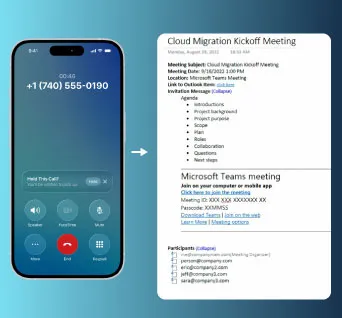
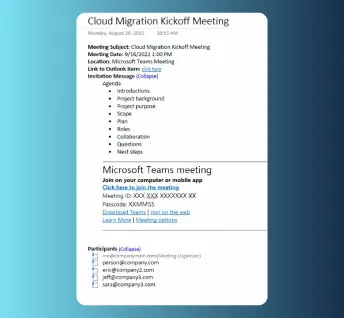
OneNote is designed for detailed note-taking, but voice makes it immediate. Gennie helps users capture thoughts the moment they occur, without opening notebooks or typing long entries.

.webp)
Key Features - Gennie x Microsoft OneNote
Enhance OneNote with voice-driven note creation and organization.

Add new notes and pages using natural OneNote voice commands.
%20%2032x32.svg)
Capture detailed notes instantly with OneNote voice-to-text conversion.

Record notes through quick voice interactions without opening app.

OneNote voice AI agent understands context & organizes notes.

Notes sync easily across desktop & mobile OneNote environments.

Use OneNote as a faithful voice assistant while multitasking.
Voice-First Note Management
From meeting summaries to quick reminders, Gennie enables OneNote users to document ideas without interrupting their workflow. Voice-based note control ensures information is captured clearly.
(Also explore Notion AI Agent and Smartsheet Voice Agent for complete team productivity solutions.)
.webp)
How Gennie Works?
Start using Gennie with OneNote in just a few easy steps.

What Our Customers Are Saying
Teams across industries trust our Gennie to improve support, scale faster, and delight users.







Take Control of Your Work with Gennie
Stop juggling apps and screens with Gennie. You can manage any software instantly using just your voice.
.svg)



Got Questions? We’ve Got Answers
Everything you need to know about Gennie in one place: quickly find answers about how it works, its features, and how it can simplify your daily workflow.
Frequently Asked Questions

Yes. Gennie enables OneNote voice commands for creating and updating notes.
Yes. You can dictate full notes using OneNote's voice-to-text functionality.
Yes. The OneNote voice AI agent automatically structures and organizes notes.
Absolutely. Voice-based note capture allows you to document discussions hands-free.
Yes. Gennie integrates OneNote with Slack and Trello for connected workflows.

