

Remote and field work now run on constant motion. Technicians move between job sites, managers coordinate across time zones, and frontline teams juggle apps while trying to stay hands-free. The common bottleneck? Typing and tapping through multi-step workflows when attention should remain on the task. That’s where voice software for remote teams changes the equation, turning natural speech into structured actions inside the tools you already use.
Gennie brings voice-first control to everyday workflows, enabling mobile and distributed teams to capture updates, create tasks, and keep projects moving without friction. If you’re curious how voice fits into your existing stack, start with an overview of AI voice automation for SaaS on the Gennie platform.
Why voice beats taps for mobile and remote work
Even with well-designed apps, field and remote workflows suffer from small screens, constant context switching, and the simple truth that people speak faster than they type. When workers need to update a work order or log a follow-up while on the move, the overhead of navigating menus can hinder momentum. Voice flips the experience, letting workers say what they need, and the system translates intent into action.
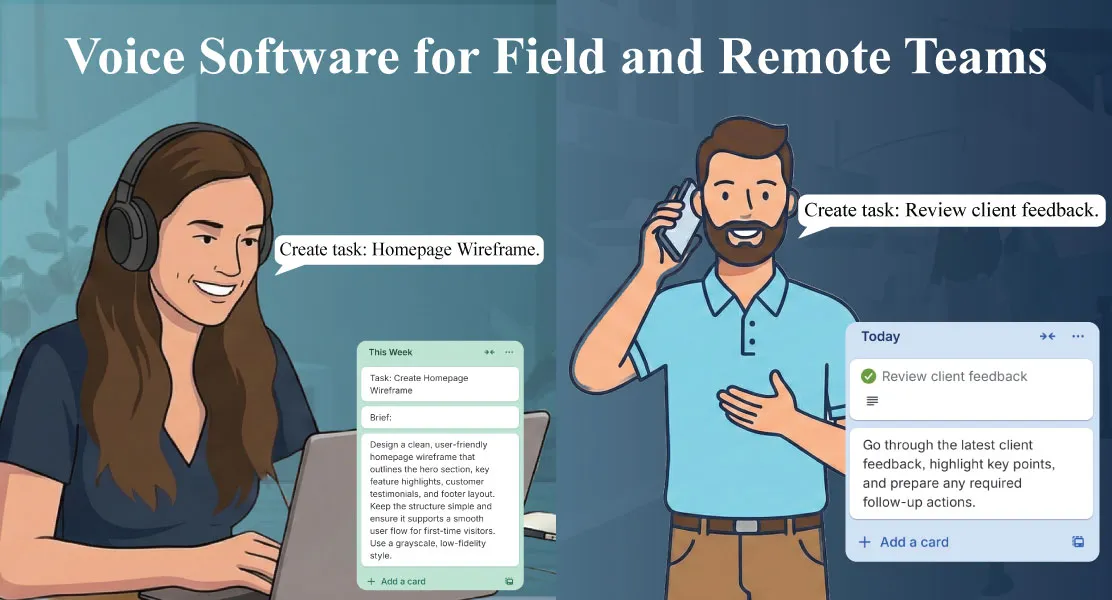
For example, a field engineer can say, “Create a high-priority follow-up for tomorrow and assign it to Anita,” and the assistant handles the rest. This kind of voice task management for mobile workers eliminates the “I’ll update it later” backlog and keeps data fresh for everyone.
Voice-enabled SaaS workflows, not just voice-to-text
There’s a big difference between transcription and execution. Traditional dictation involves dumping text into a note; a voice agent interprets the intent, validates the details, and writes the update to the correct place. Gennie focuses on voice-enabled SaaS workflows, which means:
- Interpreting natural language and mapping it to actions (“create,” “assign,” “move,” “comment”).
- Detecting entities like assignees, projects, due dates, and priorities.
- Executing directly inside connected tools ensures that data remains structured and searchable.
If your team lives in Asana, you can route these actions through the dedicated Asana Voice Agent. For kanban-style work, Trello fans can use the Trello Voice Agent to create cards, move items between lists, and attach notes without touching the board.
Field teams need hands-free speed and safety
Out in the field, every spare second matters, and hands are often busy. Workers shouldn’t have to stop what they’re doing to type status updates or scroll through menus. With a remote field service voice app, updates occur seamlessly within the workflow: job started, component replaced, test passed, site cleared, and next visit scheduled. That reduces errors, preserves context, and keeps dispatchers and managers aligned.
There’s also a safety dimension: less screen time during active work means fewer distractions and better compliance with on-site policies. For a practical perspective on the benefits of hands-free solutions, this overview of voice-enabled field service offers valuable context for modern technicians: Voice-Enabled Field Service Hands-Free Solutions for Modern Technicians.
How voice streamlines task and project management
Voice streamlines routine admin, making it both faster and more consistent. Consider these common patterns for field team productivity with voice assistant support:
- Immediate logging: Speak a quick summary after each step; the assistant timestamps and stores it as a comment or checklist item.
- Frictionless follow-ups: After completing a job, specify the following action and due date; a task appears in the correct project with the assigned recipient.
- On-the-spot triage: When priorities shift, move tasks or cards by voice so the new plan is visible to everyone in real time.
- Context-rich notes: Attach a short voice note to a record, then let the agent generate a clean text summary for asynchronous readers.
Because updates are instant, managers gain better visibility without having to chase information; technicians spend more time on actual work; and remote analysts can act on reliable data sooner.
Asana: voice-to-action inside a familiar workspace
Asana remains a backbone for distributed teams, and Gennie’s Asana Voice Agent keeps it that way while removing friction. Workers can:
- Create and assign tasks with due dates and priority in one sentence.
- Add comments, attach quick summaries, and update statuses while multitasking.
- Capture meeting or site-visit outcomes as structured items rather than loose notes.
For managers, the outcome is cleaner boards, timely updates, and fewer “what’s the latest?” pings. For contributors, it’s the ability to keep moving while staying compliant with the process.
Trello: voice for card-centric, visual teams
Teams that think in boards and lists often feel the pinch when their hands are busy. The Trello Voice Agent supports voice task management for mobile workers who rely on cards:
- “Create a card ‘Replace filter at Plant 2’ in Maintenance, assign to Kushal, due Friday.”
- “Move ‘Client onboarding checklist’ from Doing to Review.”
- “Add a note ‘waiting for vendor confirmation’ to ‘Router replacement.’”
Because changes land exactly where they should, Trello remains the single source of truth even when contributors can’t spare a hand to touch the screen.
Tangible gains for remote teams
Remote team members also benefit from voice software for remote teams. The pain isn’t due to physical constraints; it’s due to context switching. During calls, planning sessions, or deep work, capturing the following action via voice without tab-hopping keeps momentum intact. Over time, small wins add up: fewer dropped follow-ups, steadier throughput, and cleaner records for analytics.
Crucially, voice-first systems respect structure. Tasks don’t drift into generic documents or chat threads; they’re created where work actually happens, with the fields your processes rely on.
Implementation tips: make voice stick
Rolling out voice shouldn’t create another complex project. A few practical steps help teams see value quickly:
- Start with one high-friction workflow. Choose a process with repeatable steps, such as status updates, checklists, or post-visit follow-ups, and enable voice there first.
- Define your vocabulary. Align on simple phrases (“create,” “assign,” “move,” “comment”) so everyone speaks the same shorthand.
- Pair actions with confirmations. Let the agent read back key details to reduce mistakes and build trust.
- Close the loop. Encourage team members to verify in-app results in the first few days to reinforce confidence.
- Scale to more tools. Once the habit forms, extend voice-enabled SaaS workflows across projects and departments.
Where to use voice next
Once task creation and status updates feel natural, teams usually expand voice to:
- Incident and maintenance logs: Quick, structured entries right after resolution.
- Handoffs and escalations: Verbal summaries turned into checklists for the next shift.
- Customer follow-ups: Spoken commitments that become scheduled tasks with owners.
- Mobile data capture: Notes and photos tagged to jobs with verbal metadata.
Bringing it together
Voice is not a replacement for your project tools; it’s the missing interface. Turning intent into action reduces friction for mobile contributors and protects remote teammates' focus. Whether your team prefers structured tracking in Asana through the Asana Voice Agent or visual boards in Trello via the Trello Voice Agent, the result is the same: faster updates, fewer omissions, cleaner data.
For a quick overview of how Gennie brings voice to multiple platforms, visit the Gennie platform page, which outlines how it layers voice control on top of everyday SaaS. When evaluating fit for your workflows, you can request a personalized demo with our team.